
CMS - Target Setting
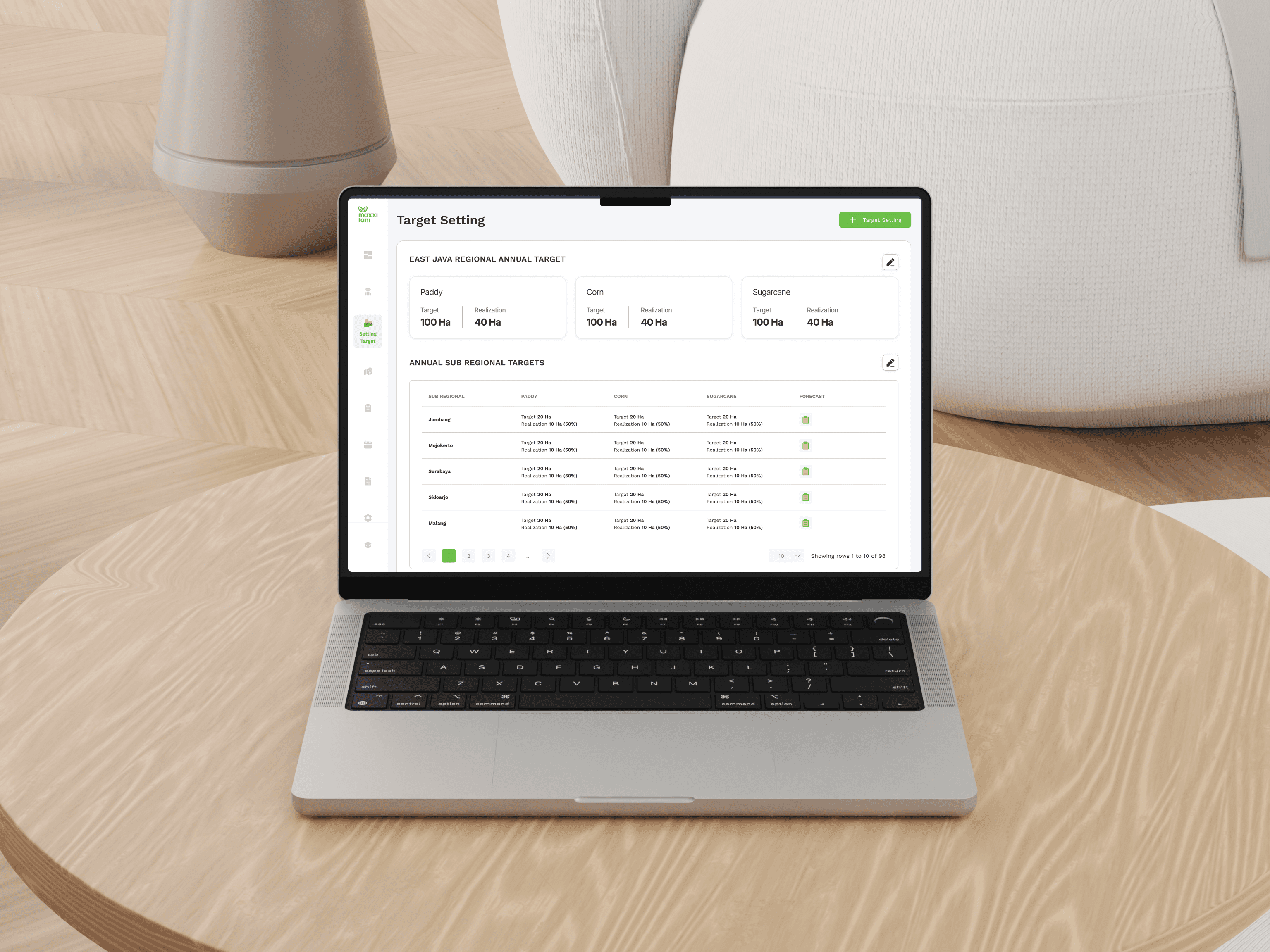
The "Setting Target" feature is part of the internal Web CMS development for Maxxi Tani, designed for both central and regional admin teams. With this new feature, admins can directly set regional and sub-regional targets through a more practical, centralized, and user-friendly CMS system. The goal is to improve work efficiency, data accuracy, and team collaboration across all operational areas.
Client:
PT Maxxi Tani Technology
Date:
February 12, 2025
Type:
SAAS Website
Role:
Product Designer
🧩 Project Overview
The "Setting Target" feature is part of the internal Web CMS development for Maxxi Tani, aimed at supporting regional admin teams. Previously, the target-setting and planning process was handled manually using Excel files—prone to errors, inefficient, and difficult to access in real time by other teams.
Through this feature, target planning—both regional and sub-regional—can now be done directly through an integrated CMS system. With a user-friendly interface, this feature is designed to improve work efficiency, data accuracy, and collaboration across all operational areas of Maxxi Tani.
As the Product Designer, I was responsible for shaping the entire user experience of this feature—from user research, ideation, flow design, and UI creation, to validation and final handoff to the development team.
📌 Note
🔒 Design details and feature specifications are not displayed due to company confidentiality.
🔍 Research Insight
I conducted in-depth interviews with all regional admin users to understand their workflows and current habits when setting targets.
In addition to the interviews, I also collected real Excel files as data references and compiled them into an analytical report that was later presented to stakeholders as a foundation for the proposed design solution.
💡 Ideation & Key Features
After presenting the research results, I worked closely with stakeholders in ideation sessions to formulate relevant solutions.
I also prepared low-fidelity sketches as early concepts of the features to guide discussions and help finalize the MVP priorities effectively.
🧭 UX Design Process
Once the core features were finalized, I proceeded to develop:
User flows based on the required workflows
Wireframes for each use case
A UI component library tailored to Maxxi Tani’s CMS design
High-fidelity UI designs and an interactive prototype
Throughout the process, I maintained regular syncs with the Lead Designer to ensure alignment and gather continuous feedback.
✅ Usability Testing & Feedback
After the design was completed, I conducted usability testing with several regional admin users.
The objectives were to:
Assess whether the visual and feature flow truly simplified their work
Ensure the proposed solution aligned with user expectations and needs
Based on the feedback, I applied several important design iterations to refine the user experience before final delivery.
📦 Handoff & Developer Collaboration
I handed over the final designs to the developer team, complete with interaction specifications, visual assets, and supporting documentation.
I also actively supported the development process to ensure the implementation stayed consistent with the original design.
📊 Outcome & Impact
After the feature was released, I continued to gather feedback from admin users.
The response has been overwhelmingly positive—most admins reported that the new system significantly improved their workflow, made target setting more organized, and enabled real-time collaboration across teams.